Lock
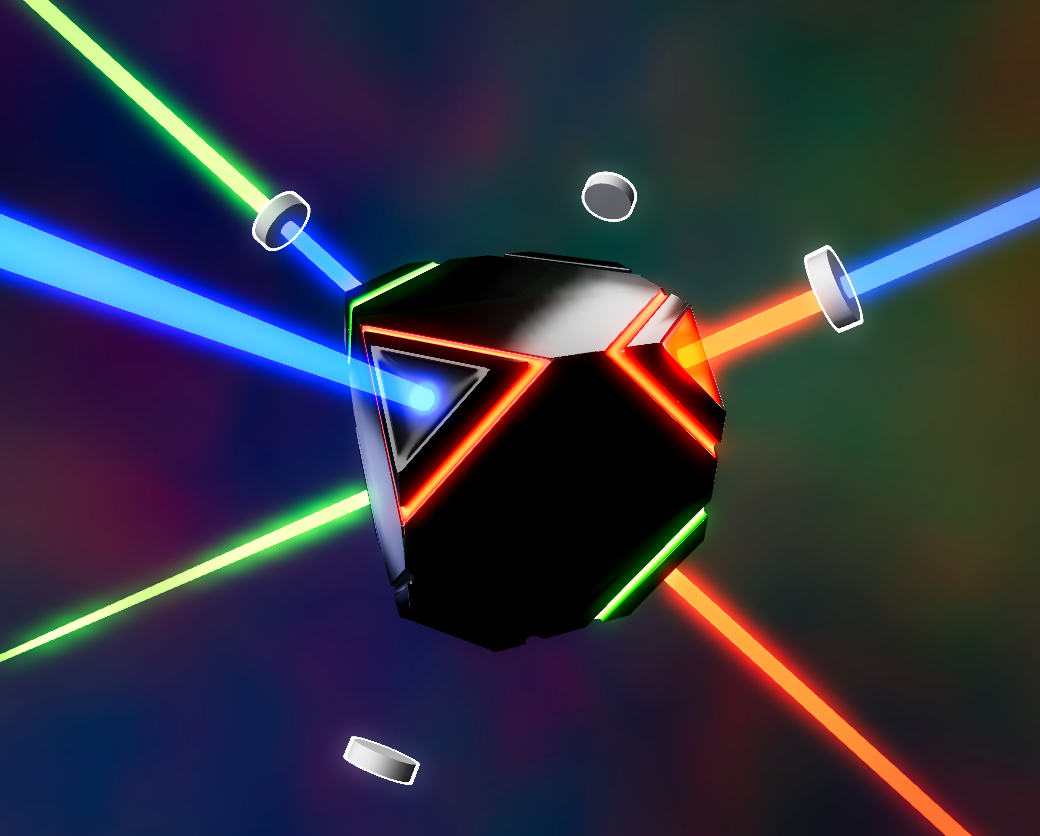
You’ve brought the artifact to the confluence of signals: beams from distant stars, aimed with unimaginable precision, bearing secrets from ancient civilizations. It senses their presence in this place, illuminates, invites you to align it and feed the dark mechanisms hidden within. Can you?
Lock is my 19th entry in the Ludum Dare “Compo” challenge, and as always it was a bit of a scramble—got a late start, then lost more hours than I’d like to admit on fighting with quaternions. I’m happy with the result, though! My games are usually more arcade-y than puzzle-y, since I’m not much of a puzzle designer… but this one turned out to be both challenging and (I think) fun, and amenable to procedural generation. There’s still lots of polish I wish I’d gotten to, and I like this enough to consider doing a post-jam version, which may or may not be coming in the next week or so as my brain recovers.
Thanks for reading this far, and I hope you enjoy playing Lock!
How to play
- The artifact (cuboid) has markings around its corners which indicate the color of signal which that corner responds to.
- Your goal is to line up the correct corners with the incoming signal lasers.
- After level 1, floating lenses will appear (the gray cylinders) which change the color of signals that pass through them. You can rotate each layer of lenses independently of the artifact; the currently selected rotatable-thing is marked with a white outline.
Controls
Mouse / keyboard
- Look around: click and drag
- Rotate: WASD or arrow keys
- Switch object: Space or Enter
Gamepad (desktop only)
- Look around: left stick
- Rotate: right stick or D-pad
- Switch object: any face button (ABXO, etc.)
Touch (mobile only, obviously)
- Look around: tap and drag
- Rotate: buttons at bottom right
- Switch object: button at bottom left
Development
Lock is built in Godot, like my two previous games Lepidopterology Extreme (LD58) and Happy Circle (MiniJam 165). I’m really starting to appreciate it after using Unreal for most of my previous games—it’s lightweight, thoroughly documented, works well on macOS, and exports to the web. Highly recommend it for anyone who’s currently working in a larger engine.
Other tools used:
- Houdini (modeling, generating VFX assets)
- Blender (setting up light rig to render the IBL from)
- my phone and Voice Memos (recording sound effects, mostly of buttons on a DualSense and tapping an old silicone phone case with my finger)
- GarageBand (music)
- Fork (Git)
I do not use generative AI.
Download
Install instructions
Both Windows and macOS will initially prevent running the game due to their security mechanisms. I promise I have no interest in doing anything to your computer other than letting you play this game on it, but if you’re still concerned, feel free to play the web version instead.
On Windows, you’ll get a “Windows protected your PC” alert; you can hit the “More info” text and then “Run anyway” to run it.
On macOS, after you’ve tried opening the app once, you’ll need to go to the Settings app’s “Privacy & Security” section, then scroll way down to where it’ll say “‘LD59’ was blocked to protect your Mac.”, with an “Open Anyway” button; click that and authenticate to run it.
Leave a comment
Log in with itch.io to leave a comment.